

Your website visitors have questions at 2 AM. They need support on weekends. They want instant answers, not email responses three business days later.
Traditional rule-based chatbots promised to solve this problem but delivered frustration instead rigid menu trees, “I didn’t understand that” dead ends, and customers abandoning your site for competitors who actually answer their questions.
The solution is conversational AI chatbots that understand context, hold natural conversations, and provide genuinely helpful responses trained on your specific business knowledge.
What You’ll Learn:
- The exact 5-step process to build and deploy a custom AI assistant for your website
- No-code platforms that let non-technical teams launch chatbots in hours, not months
- How to train AI on website data without programming knowledge
- Integration strategies for WordPress, Shopify, and custom sites
- Post-launch optimization tactics that improve performance continuously
Step 1: Define Your Bot’s Job Description
Before touching any technology, define exactly what problem your AI chatbot solves.
Selecting Your Primary Use Case
Lead generation chatbots qualify visitors through conversational questions, collect contact information naturally, and route hot prospects to sales teams immediately. They transform passive website traffic into active sales opportunities.
Customer support bots answer frequently asked questions about products, shipping, returns, and account management—reducing support ticket volume by 30 to 60 percent while providing instant resolution 24/7.
Internal knowledge base assistants help employees find company policies, HR information, and technical documentation without searching through folders or bothering colleagues with repetitive questions.
Choose one primary use case initially. Multi-purpose chatbots that try to do everything often do nothing particularly well.
Setting Measurable Goals
Vague objectives like “improve customer experience” don’t provide clear success metrics. Instead, define specific KPIs:
Reduce average support ticket volume by 40 percent within 90 days. Increase lead capture rate from 2 percent to 5 percent of website visitors. Decrease average response time from 4 hours to under 2 minutes.
These concrete goals guide every subsequent decision about functionality, training data, and optimization priorities.
Creating Your Bot’s Persona
Your AI customer support bot needs a consistent personality that aligns with your brand voice. Define the tone spectrum from casual and friendly to formal and professional based on your industry and audience.
Give your chatbot a name that feels approachable rather than robotic. “Alex” or “Jordan” work better than “SupportBot3000” for building rapport.
Establish guardrails defining topics the bot shouldn’t discuss—competitor comparisons, pricing negotiations beyond published rates, or medical advice if you’re not qualified to provide it. Clear boundaries prevent awkward situations and potential liability.
Step 2: Choose Your Building Platform
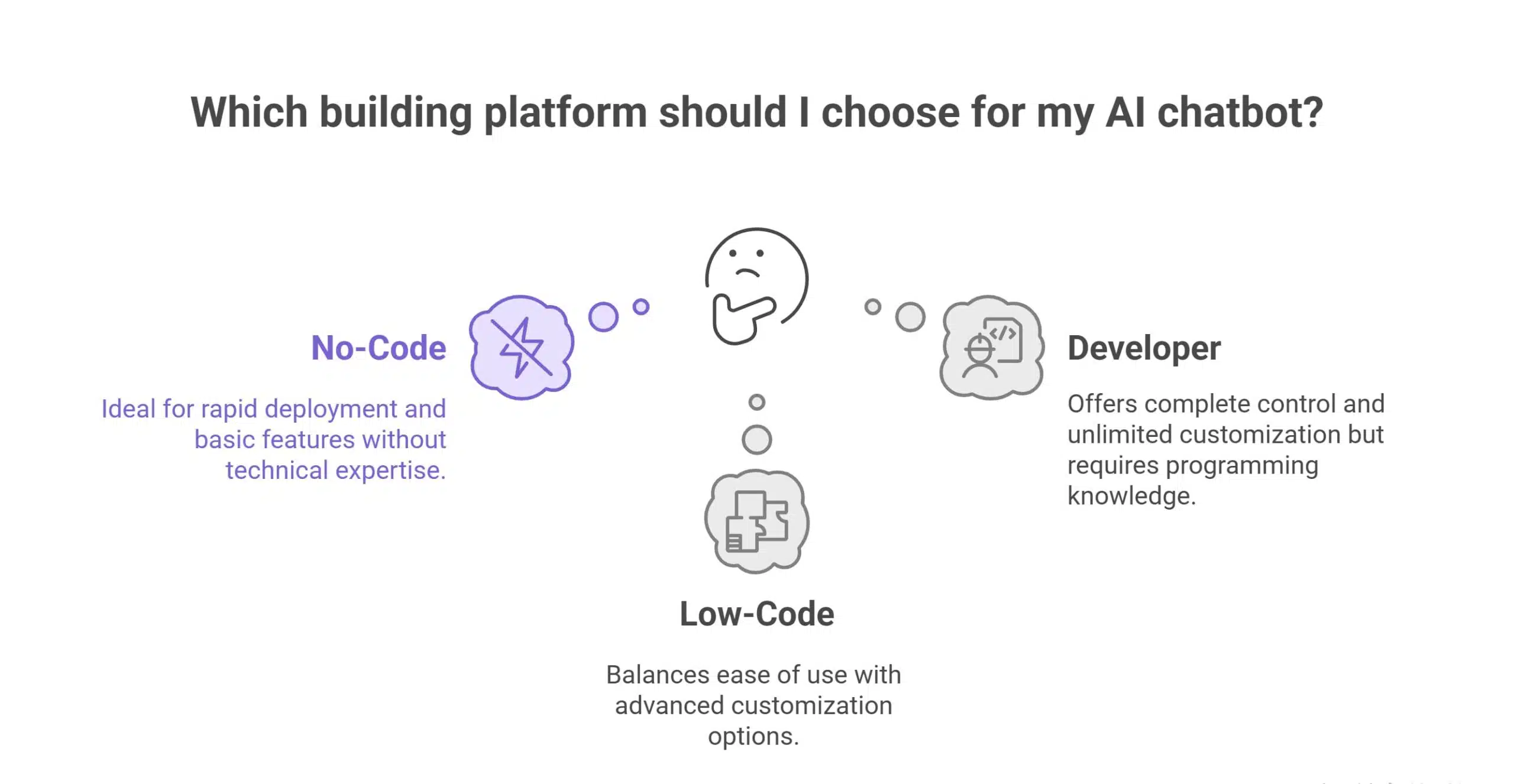
Your technical skills and customization needs determine which platform delivers the best results.
The No-Code Route for Speed
Chatbase and Wonderchat excel at rapid deployment. Upload your website URL, and these platforms automatically scrape content to train your no-code AI chatbot within minutes. No programming, no complex configuration—just paste a URL and customize the appearance.
These tools are perfect for small businesses needing basic FAQ answering and lead capture without technical resources.
Tidio and ManyChat focus on marketing automation with visual flow builders. Create conversation paths by dragging and dropping elements, integrate with email marketing platforms, and trigger automated follow-ups based on user responses.
Best for e-commerce stores and marketing-focused teams prioritizing lead nurturing over complex logic.
The Low-Code Route for Customization
Botpress and Voiceflow provide visual builders with advanced capabilities. Connect to external APIs, implement complex conditional logic, and create sophisticated conversation flows without writing extensive code.
These platforms balance ease of use with professional features, making them ideal for growing businesses that need more than simple FAQ bots but don’t want to maintain custom code.
The chatbot integration guide within these platforms walks you through connecting to CRM systems, payment processors, and scheduling tools.
The Developer Route for Complete Control
OpenAI Assistants API and LangChain let technical teams build fully proprietary solutions with unlimited customization. This approach requires programming knowledge but delivers maximum flexibility.
Developers choose their own AI models, control every aspect of behavior, and integrate deeply with existing systems. This path makes sense for enterprises with specific requirements that off-the-shelf solutions can’t meet.
Step 3: Training Your AI on Your Own Data
Generic AI models know general information but nothing about your specific business. Training on your data creates a custom AI assistant that provides accurate, relevant answers.
Identifying Data Sources
Start with your website content—product pages, service descriptions, about pages, and blog posts. Most platforms let you simply enter your website URL to automatically extract this information.
Add PDF documents like product manuals, detailed guides, and internal documentation. Upload FAQ pages, help center articles, and customer service scripts that capture common questions and approved answers.
The key is ensuring the AI only learns from accurate, current information. Outdated pricing or discontinued products in training data cause confusion.
The Scraping Process
When you train AI on website data, specify which pages to include or exclude. You probably want the AI learning from your help center but not from your careers page or legal disclaimers.
Most no-code platforms handle scraping automatically once you provide the URL. Pro-code solutions require configuring web scrapers to extract text while respecting robots.txt files and avoiding duplicate content.
Quality matters more than quantity. Five hundred pages of relevant, well-written content trains better bots than five thousand pages of redundant or low-quality text.
Writing Effective System Prompts
The system prompt is your master instruction defining how the AI behaves. A well-crafted prompt for a customer support chatbot might read:
“You are a helpful customer service assistant for TechGadgets Inc. Use only the provided documentation to answer questions about our products, shipping, and returns. If you don’t know the answer, say so clearly and offer to connect the customer with a human agent. Never make up information about pricing or product features. Maintain a friendly, professional tone.”
This prompt establishes guardrails, defines information sources, handles uncertainty gracefully, and sets the conversational tone.
Step 4: Designing the Conversational Flow and Interface
Even powerful AI needs thoughtful conversation design to deliver exceptional user experiences.
Crafting the Welcome Message
Your opening message makes or breaks engagement. Generic greetings like “Hello, how can I help?” get ignored.
Instead, try: “Hi! I can help you find the perfect product, track your order, or answer questions about returns. What brings you here today?” This immediately shows value and guides users toward productive interactions.
Using Quick Reply Buttons
While conversational AI handles free-form questions, strategic quick reply buttons guide users to high-value outcomes. After the welcome message, offer buttons like “Track my order,” “Product recommendations,” or “Speak to a human.”
These shortcuts help users who know exactly what they need while reducing the ambiguity that sometimes confuses AI systems.
Implementing Human Handoff
No AI is perfect. Build in seamless escalation to human agents when the bot can’t resolve issues. Trigger human handoff when the AI expresses uncertainty, when users explicitly request human help, or after three failed attempts to answer a question.
Pass conversation context to the human agent so customers don’t repeat themselves—this handoff experience often determines whether customers perceive AI as helpful or frustrating.
Customizing Visual Design
Your chatbot widget should match your brand identity. Customize the chat bubble color, position on the page, header design, and typography to feel native to your website rather than a generic third-party plugin.
Most platforms offer customization without code, while developer solutions provide complete CSS control for pixel-perfect implementation.
Step 5: Integration and Deployment
Getting your chatbot live involves adding code to your website or using platform-specific integrations.
Platform-Specific Integration
WordPress sites use chatbot plugins that integrate with a few clicks—no code required. Search your platform’s plugin directory for your chosen chatbot provider.
Shopify stores install chatbot apps from the Shopify App Store with one-click integration that automatically places the widget on all pages.
Wix websites add chatbots through the Wix App Market or custom HTML embed blocks for platforms without native integrations.
The Embed Script Method
For custom websites or platforms without plugins, chatbot providers give you a JavaScript snippet to paste into your site’s header or footer. This universal method works on any website where you can edit HTML.
Place the script in the footer for better page load performance, or use tag managers like Google Tag Manager for deployment without touching code directly.
Pre-Launch Testing
Before making your chatbot public, conduct thorough stress testing. Ask difficult questions customers actually pose. Test edge cases, try to confuse the bot, and verify it handles uncertainty gracefully.
Have team members role-play as frustrated customers, technical novices, and detail-obsessed researchers to expose weaknesses before real customers encounter them.
Optimizing Post-Launch: Continuous Improvement
Deployment is just the beginning. The best AI chatbots improve continuously based on real user interactions.
Reviewing Conversation Transcripts
Most platforms provide dashboards showing all chatbot conversations. Review these regularly to identify patterns in confusion, repeated questions the bot handles poorly, and opportunities to expand knowledge.
Look specifically for “hallucinated” responses where the AI invents information not in your training data. These require prompt adjustments or additional training content.
Implementing Feedback Loops
Add thumbs up and thumbs down buttons letting users rate response quality. This sentiment data reveals which answers work well and which need improvement.
Some platforms let you ask follow-up questions after negative ratings: “What information were you looking for?” This direct feedback guides optimization efforts.
Updating Knowledge Continuously
Your business changes—new products launch, policies update, pricing shifts. Schedule regular knowledge base reviews ensuring your AI reflects current reality.
Most platforms let you update training data without rebuilding the entire bot, making it easy to keep information fresh.
Common Pitfalls to Avoid
Ignoring Privacy Compliance
AI chatbots collect user data through conversations. Ensure your implementation complies with GDPR, CCPA, and other privacy regulations. Display clear privacy notices, obtain consent for data collection, and provide opt-out mechanisms.
Never train your AI on conversations containing personal information without explicit user permission and proper data handling procedures.
The Robot Loop Problem
When bots don’t know answers, some enter loops repeating “I don’t understand” without offering alternatives. Always program a clear path forward: “I’m not sure about that. Would you like to speak with a human agent, or can I help with something else?”
Over-Training with Irrelevant Data
More data isn’t always better. Feeding your AI thousands of blog posts, every press release, and tangential content slows response times and dilutes answer quality. Curate training data carefully, focusing on information directly relevant to user questions.
Launch Your AI Chatbot Today
AI chatbots have evolved from expensive enterprise tools to accessible solutions for businesses of any size. They provide 24/7 customer support, capture leads around the clock, and answer repetitive questions so your team focuses on complex issues requiring human expertise.
The no-code platforms available in 2025 mean you can deploy a functional chatbot this week without hiring developers or waiting months for custom builds.
Start simple with a focused use case, choose a platform matching your technical comfort level, and iterate based on real user feedback. Your chatbot will improve continuously as it learns from interactions.
The question isn’t whether to add an AI chatbot to your website it’s which data sources you’ll connect first to create your competitive advantage.


